
Your time,
finally easy to see.
tokiori records your work time in a couple of clicks and sums it up for you automatically. No more “What did I even do this week?”
※ Just your email to get started. Nothing to install — it runs right in your browser.
Different views
See your time from whatever angle you need.
View the same records as a day, a week, a month, or a ranking — whichever shape you want.
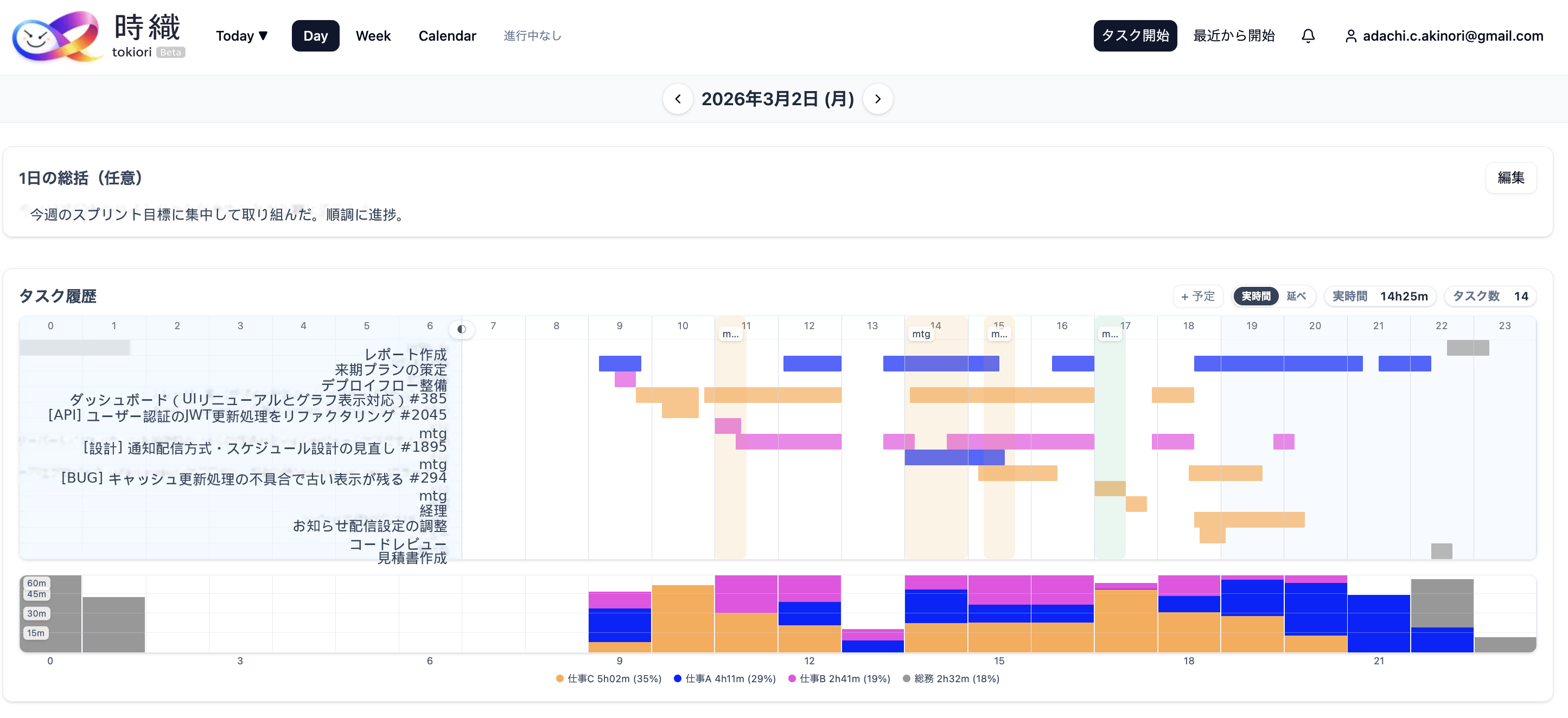
See the flow of your day at a glance
From morning to night, see what took how long on a timeline. Both the spare moments and the long focus blocks become clear.
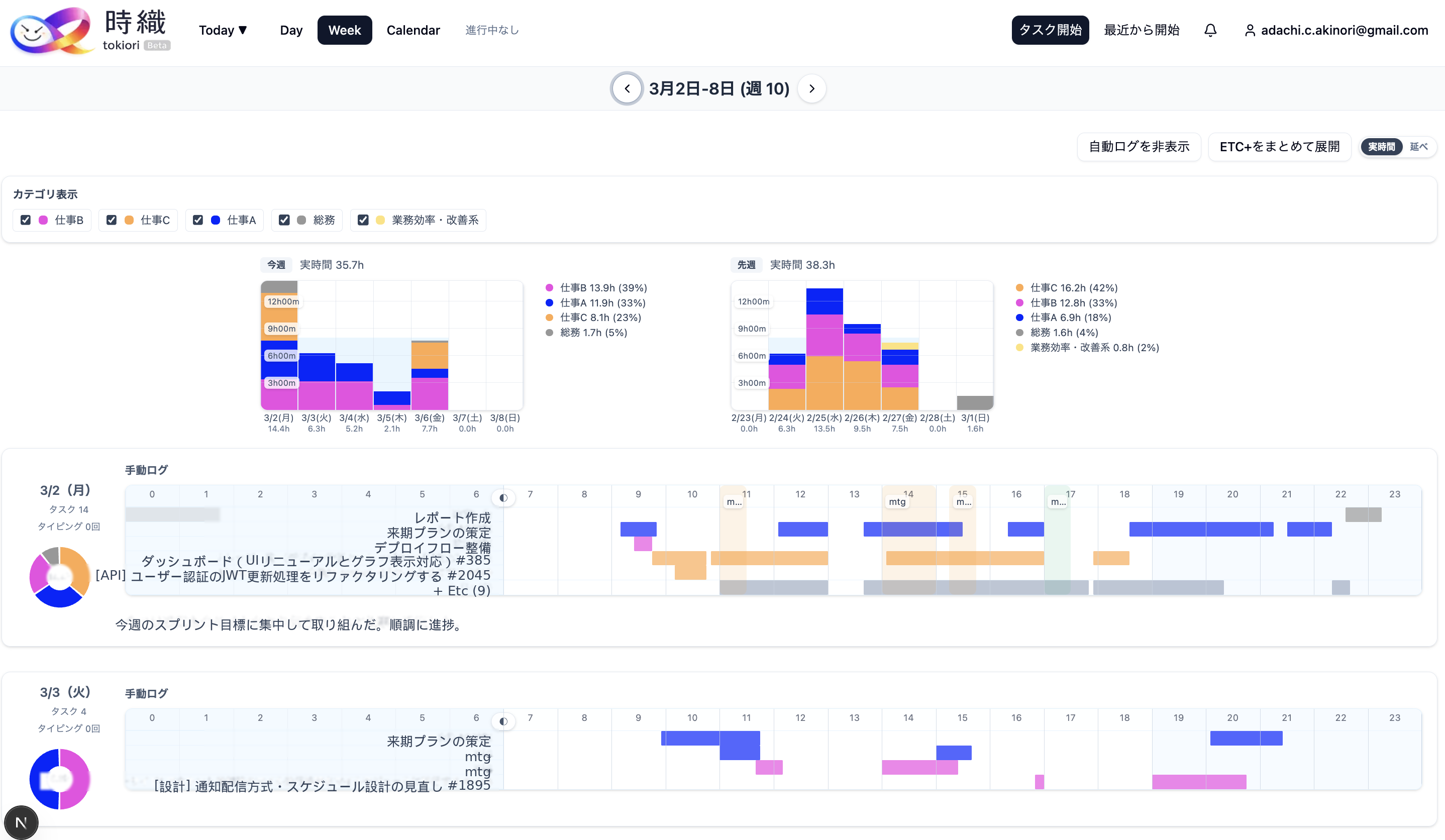
See your whole week at once
A week of time totaled up by category. “A meeting-heavy week” or “a week of focused dev” shows up in numbers.
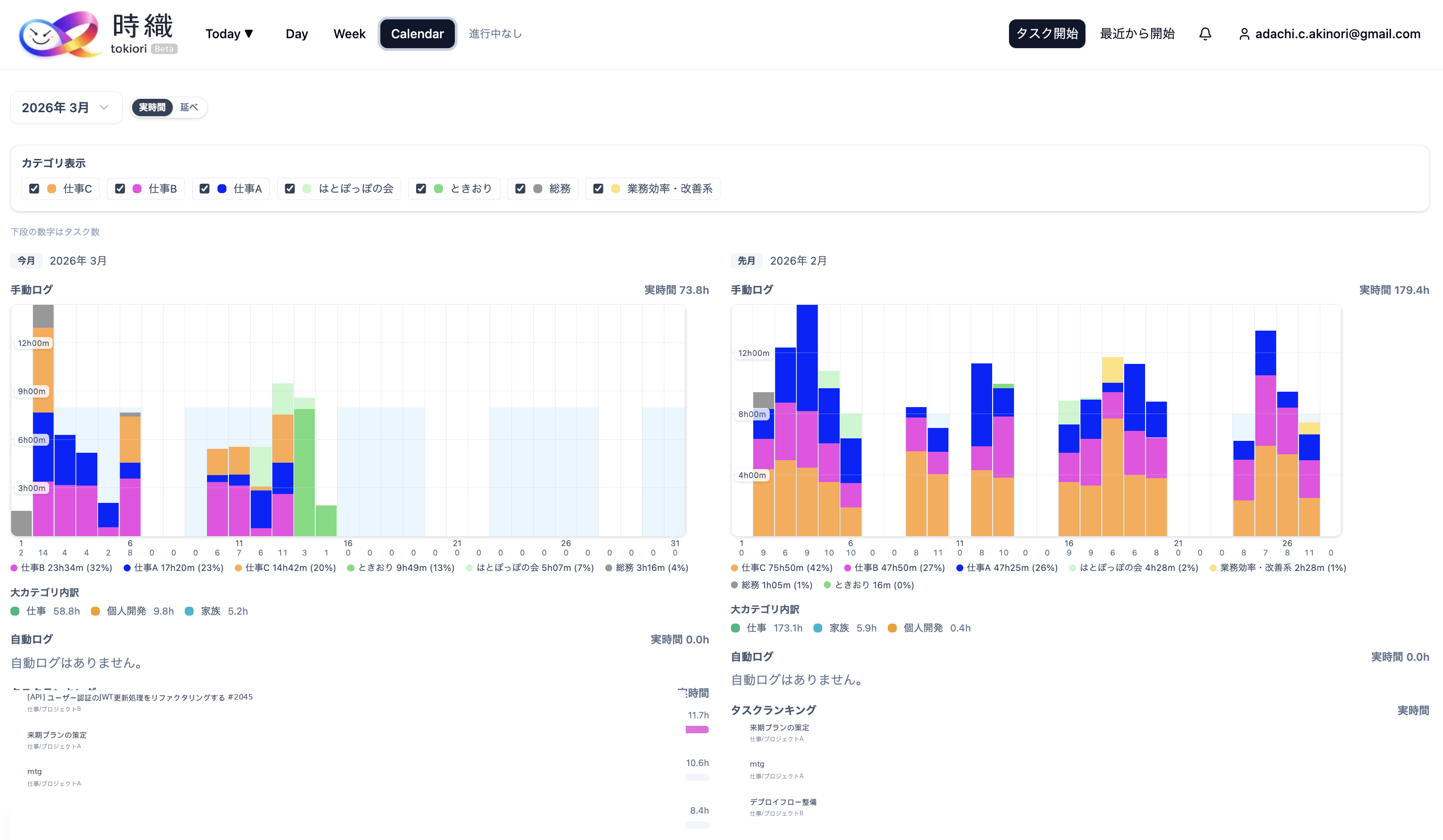
Take in a whole month
A calendar view gives you the big picture of the month. The rhythm of busy days and lighter ones becomes visible.
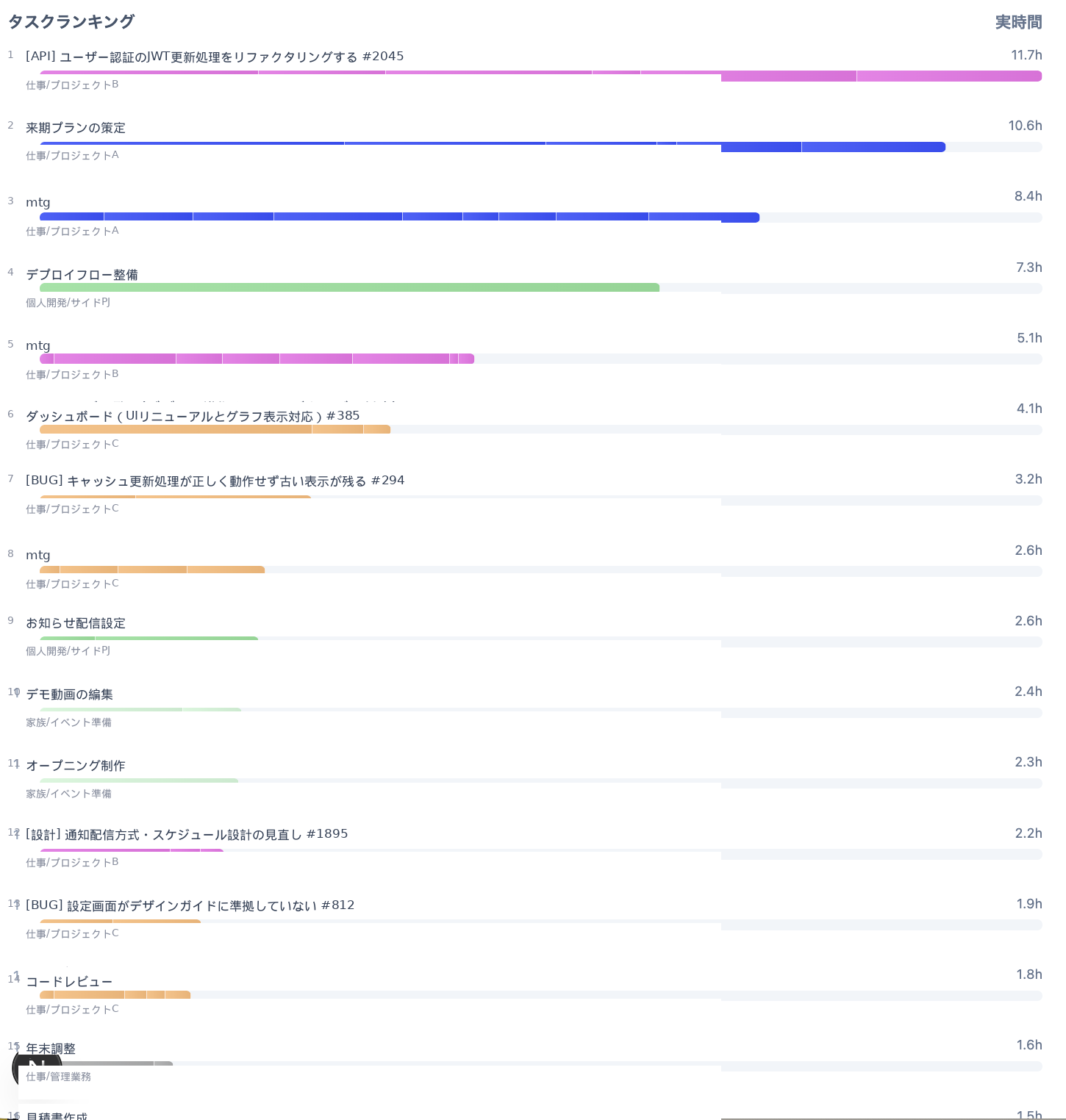
What you spent time on, in order
See the work you spent the most time on as a ranking. Find hints for improvement and what you want to lean into.
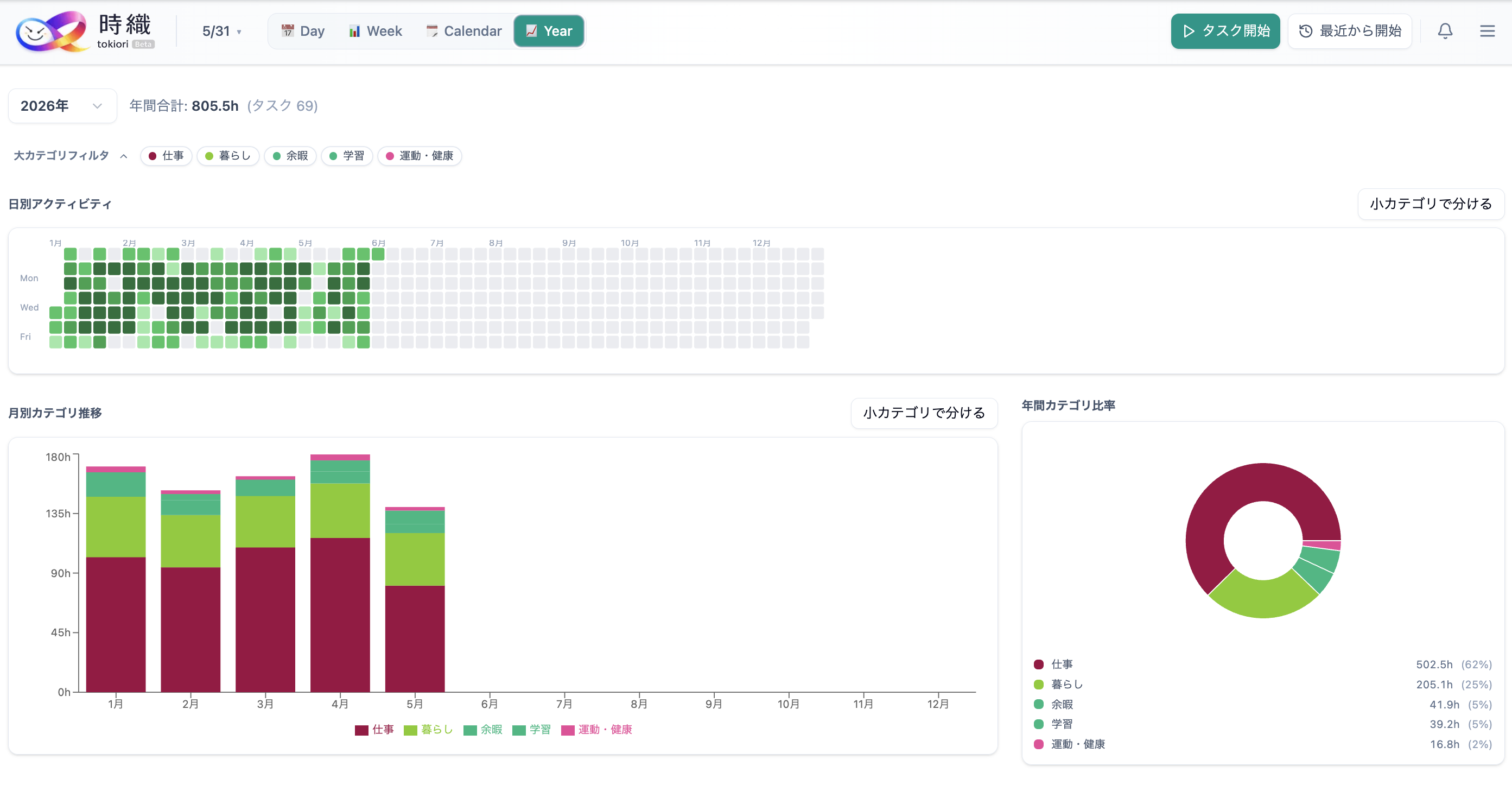
See a whole year add up
Your daily records as a heatmap and month-by-month trends. The days you kept going and the days you rested all take shape over a year.
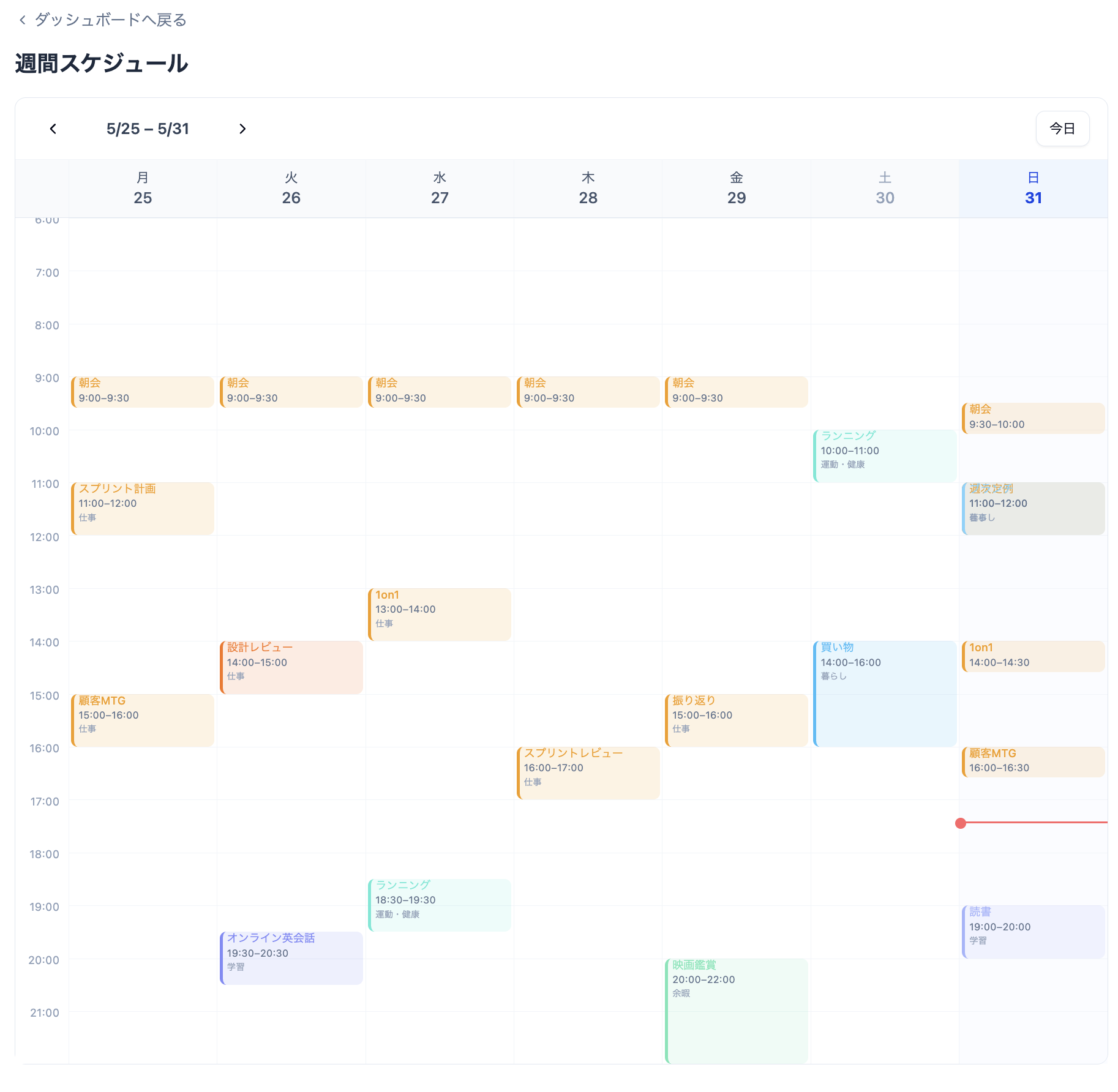
One place for all your Google Calendars
Bring multiple Google Calendars — work, personal, and more — together in one view. See what you've done and what's coming up on a single screen.
About tokiori
Easy to start, and built to last.
Calendar sync
Import events from Google Calendar.
Right in your browser
Nothing to install. Open it and start.
日本語 / English
Switch the display language anytime.
Your privacy comes first.
- We never collect what you type or what’s shown on your screen.
- We only record when you worked and in which category — never the contents.
- We don’t keep track of the URLs you visit or what you do.
- You can delete your recorded data anytime from the settings.
FAQ
Things you might wonder before starting
Isn’t recording a hassle?
Just press “start” and recording begins. You can also add entries by hand or import them from Google Calendar later — so it’s fine if you forget.
What devices can I use it on?
It works right away in your PC browser — no installation needed. Add it to your home screen and you can open it like an app.
Is my input being read?
No. tokiori does not collect what you type or what’s on your screen. We only record when you worked and in which category.
Can I delete my data?
Yes. You can delete it anytime from the settings. If you close your account, all your data is deleted as well.
Make your time visible, starting today.
Signup takes 30 seconds. Try recording just one day.
Get started